From Brain Dump to Markdown: Structure Ideas as You Speak
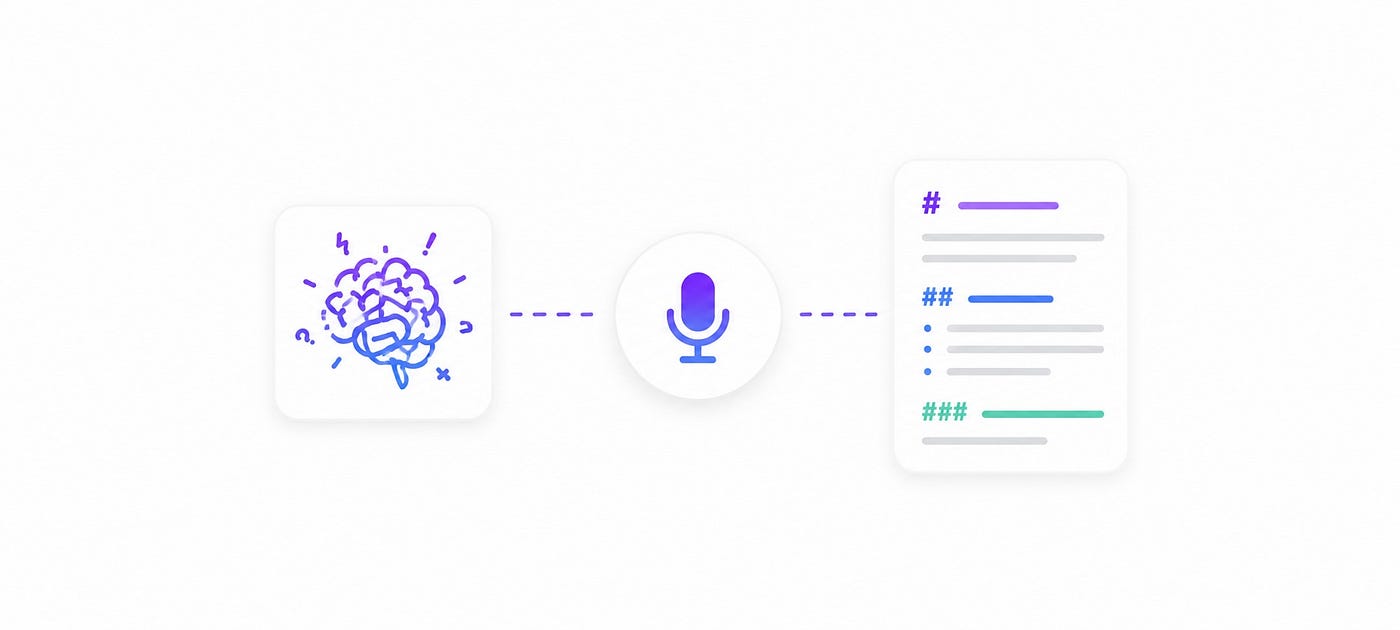
speack to markdwown
The whole article was written by Speech To Markdown.
Voice input is faster than typing — but speed alone isn’t the problem. The real challenge is structure. It’s surprisingly hard to organise your thoughts on the fly and say something coherent. AI assistants like Gemini have adopted voice input, yet so much of what gets transcribed ends up as unstructured noise that takes longer to clean up than it saved.
That’s the problem I set out to solve for myself.
Why I Built This
I wanted a way to speak freely — braindump style — and have an AI turn it into clean, structured Markdown in real time. No editing, no typing, no context switching. Just think out loud and get a document back.
The result is a Speech-to-Markdown [stmd] tool built into TaskSquad.
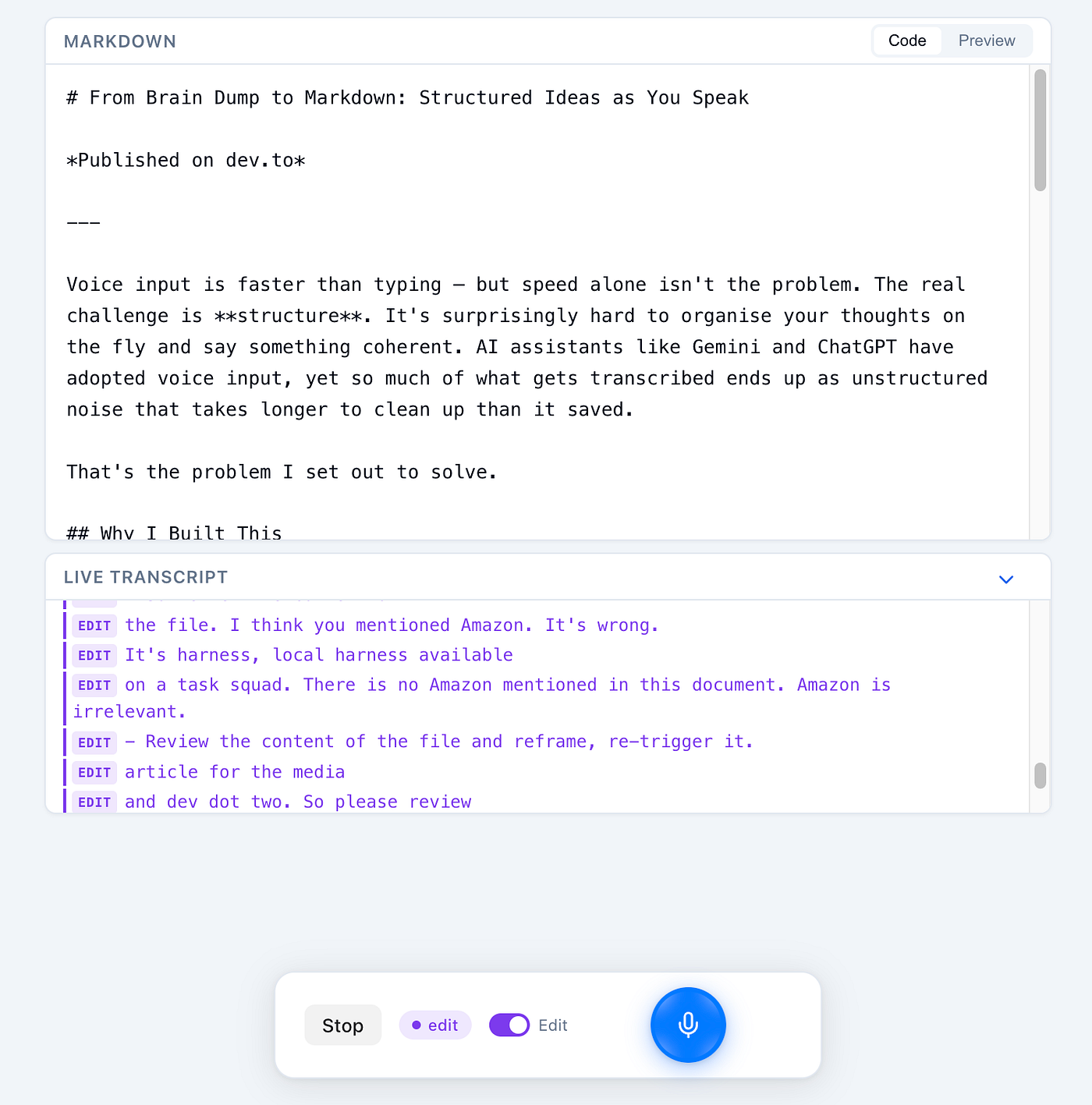
How It Works
When you start recording, stmd transcribes your speech locally using Whisper models (downloaded on the fly — I use the large variant). The transcript is buffered, aggregated, and sent chunk by chunk to a model of your choice. You can pause recording at any point to think before continuing.
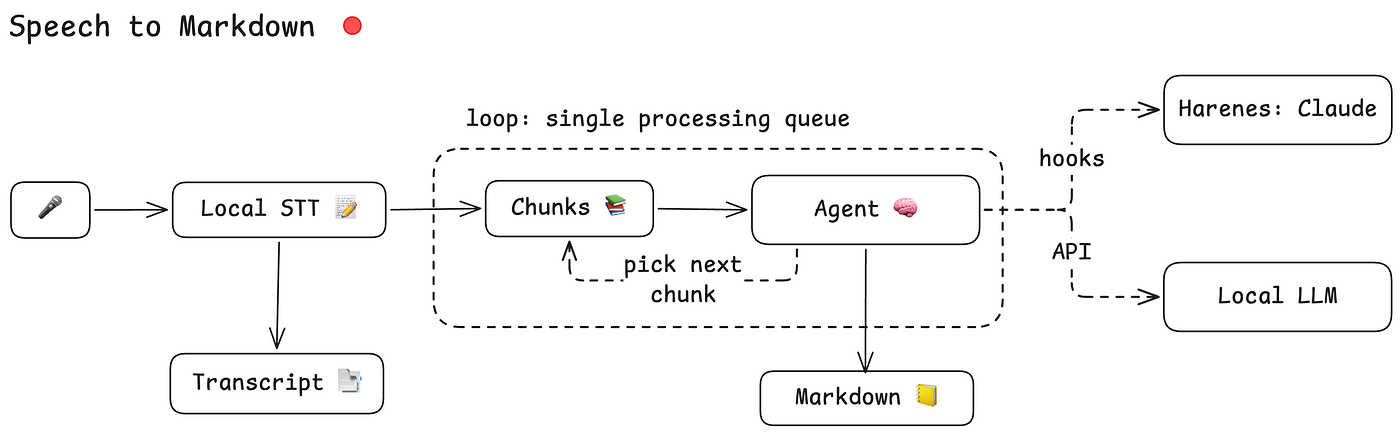
You can connect it to:
- A local harness available on TaskSquad (powered by a sub-agent)
- A direct API or local model via a custom prompt (oMLX, Ollama, etc.)
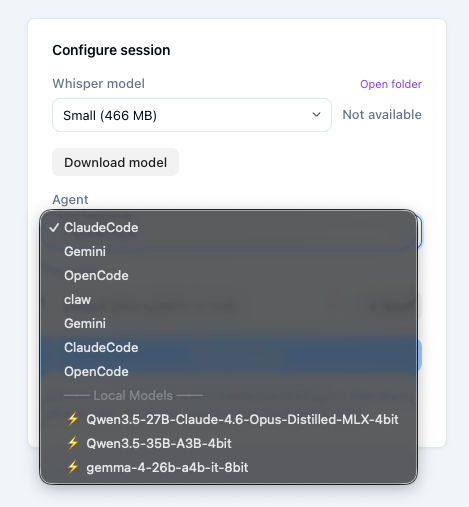
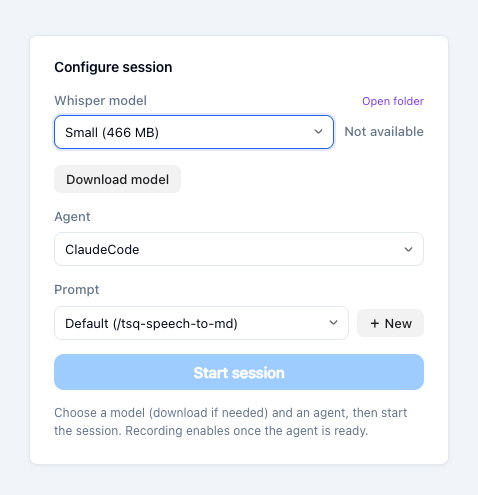
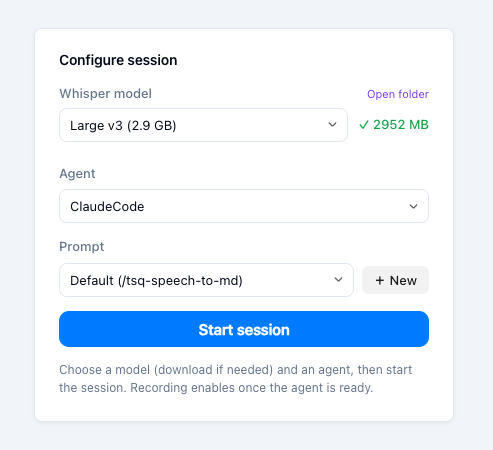
Select harness or LLM | Download STT Model | Start Session
I currently use Claude Code as my main harness and have also tested Gemma 4 with oMLX extensively — both work well at comparable speed.
Two Modes
stmd works in 2 modes: append and edit.
- Append mode — each spoken chunk is cleaned up and appended to the existing Markdown document. Great for brain-dumping a first draft.\
- Edit mode — your spoken words become edit commands. Instead of adding content, the agent modifies what’s already there. Say ” make the intro shorter” or ” replace the second bullet” — no keyboard required.
Output
All raw transcripts and generated Markdown files are saved to your .tsq folder. The model is completely your choice — there are no lock-ins.
TasSquad
If you’re the kind of developer who thinks faster than you type, give it a try.
- Download tasksquad.ai daemon
- Run ./tsq
- Open “Control Plane”
- Switch to “Speech to MD” tab
- Select the Whisperer model you want to download.
- Select a harness or model to process input.
- Start talking!
Update — July 25, 2026: from prototype to daily use
Out of all the prototypes I’ve built to use local LLMs, this is the one I actually ended up using daily. In my local setup, speech goes through Whisper (STT), gets processed by a local LLM, and comes back as a structured spec ✅.
Using Fable, I finally managed to turn it from a web app into a native Mac app 💻, and I’ve been using it even more since. Whenever I have a new idea, I just open the app and start talking. My product ideas backlog has never been longer; now I just need more time (and more tokens 🤑).
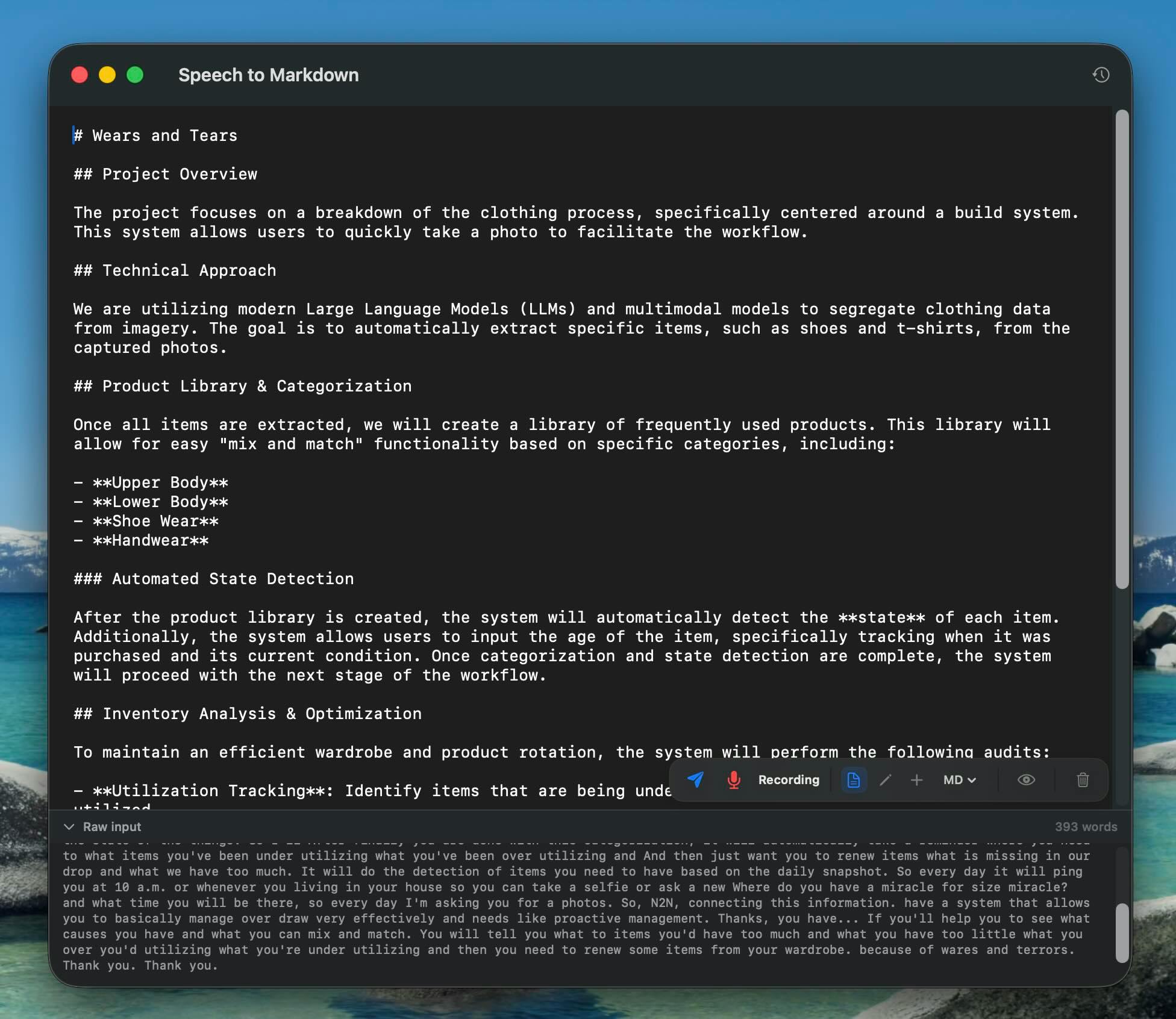
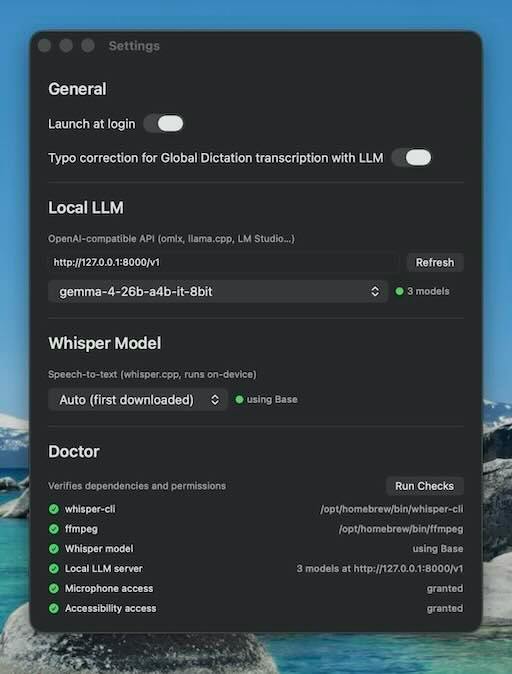
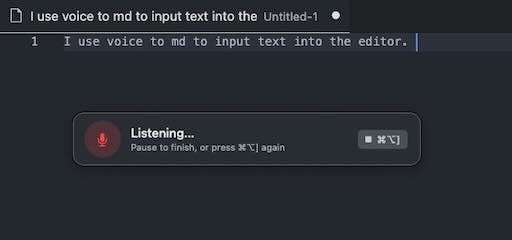
The very first idea I “talked” into it was a Dictation mode for STMD — finally giving a purpose to the custom buttons on my keyboard ⌨️. Just focus on any text field, press a hotkey, and start talking. You can use it with or without an LLM to automatically fix grammar and typos.
I also published an iOS version using Apple Intelligence, but somehow it didn’t click. I guess most of my ideas come while I’m already sitting at my laptop.
You can find the standalone app here, and the source code on GitHub.
Originally published on Medium, dev.to. The July update incorporates the Product Hunt launch and notes shared on LinkedIn.